There is no password. Instead the website emails you a six-digit code each time you sign in. Nothing to remember, nothing to write down, nothing to reset.
- Go to your website and add
/adminto the end of the address. - Type your school email address.
- Press Send me a code.
- Open your email. A six-digit code will be waiting.
- Type the six digits into the website and press Sign in.
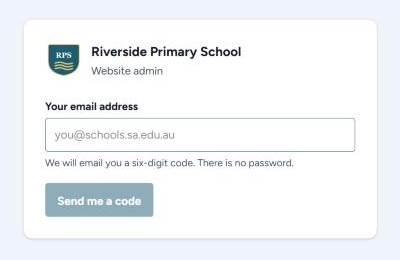
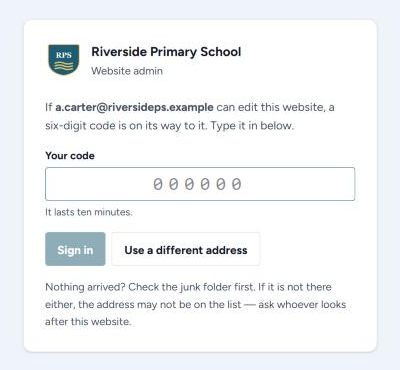
Once you are in, you stay signed in on that computer for a week. You only do this again when the week runs out, or when you use a different computer.
Read the email on your phone, type the code on the computer
That is fine and it is expected. The email carries a code, not a link, exactly so you can read it on one device and type it into another.
If no code arrives
- Check the junk or spam folder. This is nearly always where it is.
- Check you typed the address correctly.
- Wait a minute and press Send me a code again. The website will not send two codes within the same minute.
- If still nothing, your address may not be on the list of people allowed to edit. Ask whoever looks after the website to add you.
Why it never says "no such user"
The screen gives the same answer whether or not your address is allowed. If it said otherwise, anybody could sit there and work out which staff can edit the school's website. Only your inbox knows the difference.
Signing out
Sign out is in the top right corner. Use it on a shared office computer. On your own computer you can leave yourself signed in.